

A multi-step checkout is good for customer experience when it separates delivery, address, shipping, payment, and confirmation into manageable screens. For TikTok Ads measurement, however, every extra step can create another opportunity for browser-based tracking to lose context.
The result is a checkout data gap: users reach payment or complete an order, but TikTok receives an incomplete sequence of events—or no reliable Purchase event at all. This weakens attribution, makes campaign reporting understate revenue, and gives TikTok’s optimization system less conversion data to learn from.
Why multi-step checkouts create tracking gaps
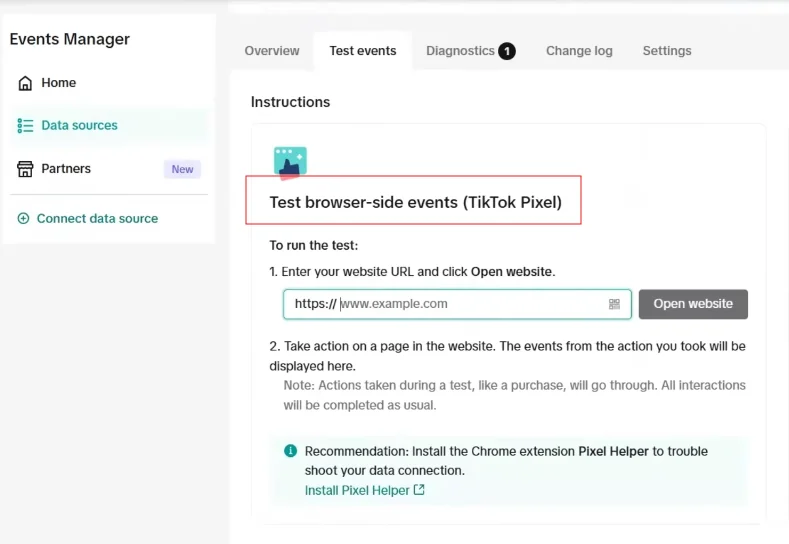
A TikTok browser pixel works when the customer’s browser loads a page and executes the tracking code. In a simple checkout, that may be enough. In a multi-step PrestaShop checkout, the transition from cart to address, carrier, payment, and order confirmation can involve redirects, asynchronous requests, embedded payment components, or pages controlled by a payment provider.
At each transition, the tracking signal can break due to different technical limitations:
- The next page does not load the pixel. A custom checkout template, payment-module page, or third-party hosted page may omit the TikTok pixel snippet.
- Events fire before checkout data is available. The page may render before PrestaShop has finalized shipping costs, discounts, tax, or the selected payment method. An event then reaches TikTok with an incorrect value or missing product details.
- Redirects interrupt the browser session. Customers may leave the storefront for 3-D Secure authentication, a wallet, or an external payment gateway. The original browser context may not return cleanly to the confirmation page.
- JavaScript execution is unreliable. Consent settings, ad blockers, browser privacy protections, slow connections, and abandoned page loads can prevent a client-side event from firing.
- The order is created server-side. In some payment flows, PrestaShop confirms the order through a webhook or back-office callback. The customer may close the tab before the thank-you page loads, even though the payment succeeded.
These issues are especially serious for Purchase. A missing PageView is inconvenient; a missing purchase removes the strongest signal used to measure return on ad spend and optimize conversion campaigns.
The hidden problem: broken event continuity
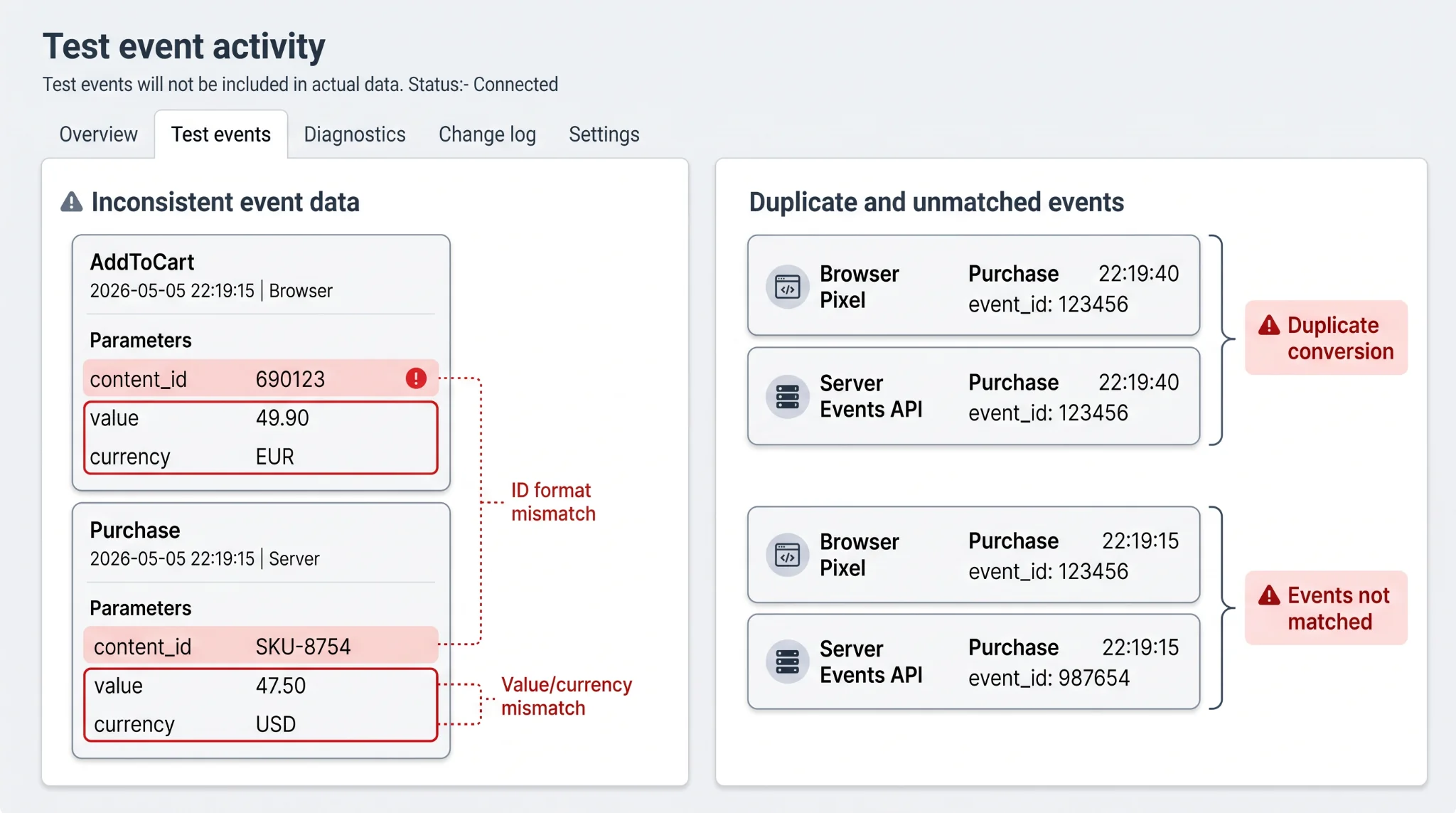
Tracking quality is not only about whether TikTok receives an event. TikTok also needs coherent event data across the funnel. A ViewContent, AddToCart, InitiateCheckout, and Purchase should describe the same products and values as the shopper progresses.
When checkout logic is spread across themes, custom JavaScript, and payment modules, event payloads often become inconsistent. For example, AddToCart may contain a product ID, while Purchase sends a different SKU format or no content_id at all. The purchase value may exclude shipping, include tax inconsistently, or be sent in the wrong currency.
A second risk appears when browser pixel and server-side tracking are implemented independently. Both can report the same purchase, causing duplicate conversions unless they share the same event_id. Conversely, if their payloads cannot be matched, TikTok may treat one channel as incomplete rather than as a backup for the other.
How to diagnose it
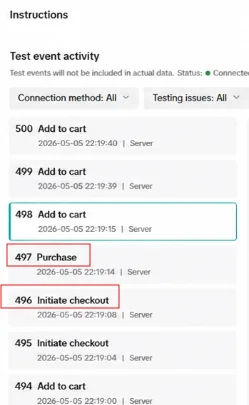
Start with a controlled test order, ideally in a low-risk payment environment. Use TikTok Events Manager to inspect received events and compare the browser Pixel and Events API sources. Then walk through every checkout step on desktop and mobile.
Check whether PageView, ViewContent, AddToCart, InitiateCheckout, and Purchase are present, correctly ordered, and associated with the expected timestamp. For each commerce event, validate content_id, content_name, value, and currency against the actual cart and order.
Pay particular attention to the payment redirect and confirmation page. Compare PrestaShop orders against TikTok Purchase events for the same period. If paid orders exceed reported purchases, or purchase values do not reconcile, the gap is likely occurring after checkout initiation. Also inspect whether the browser and server reports for one order use an identical event_id; this is essential for deduplication.
Why browser-only tracking is not enough
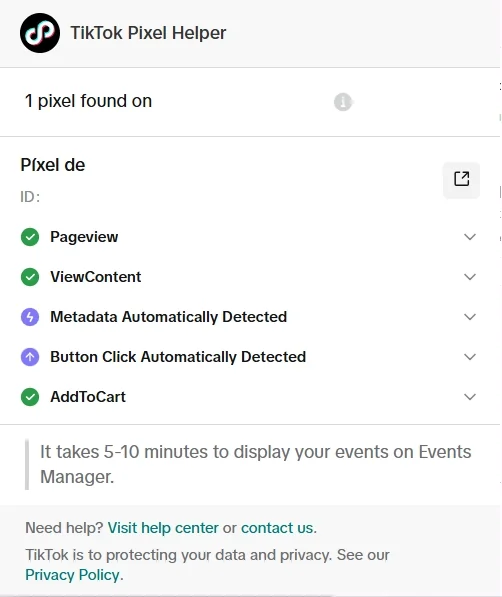
Browser pixel tracking remains useful because it captures on-site behavior close to the customer interaction. But it depends on code running successfully in the customer’s browser. That dependency is weakest precisely where checkout is most complex.
TikTok Events API adds a server-to-server route for sending conversion events. Because it is sent from the store server, it is less exposed to browser-side execution failures and can report an order after PrestaShop confirms it. It should not be treated as an unrelated second tracker. The browser and server implementations must send aligned event names, parameters, and identifiers.
How Pixel Track TikTok solves it
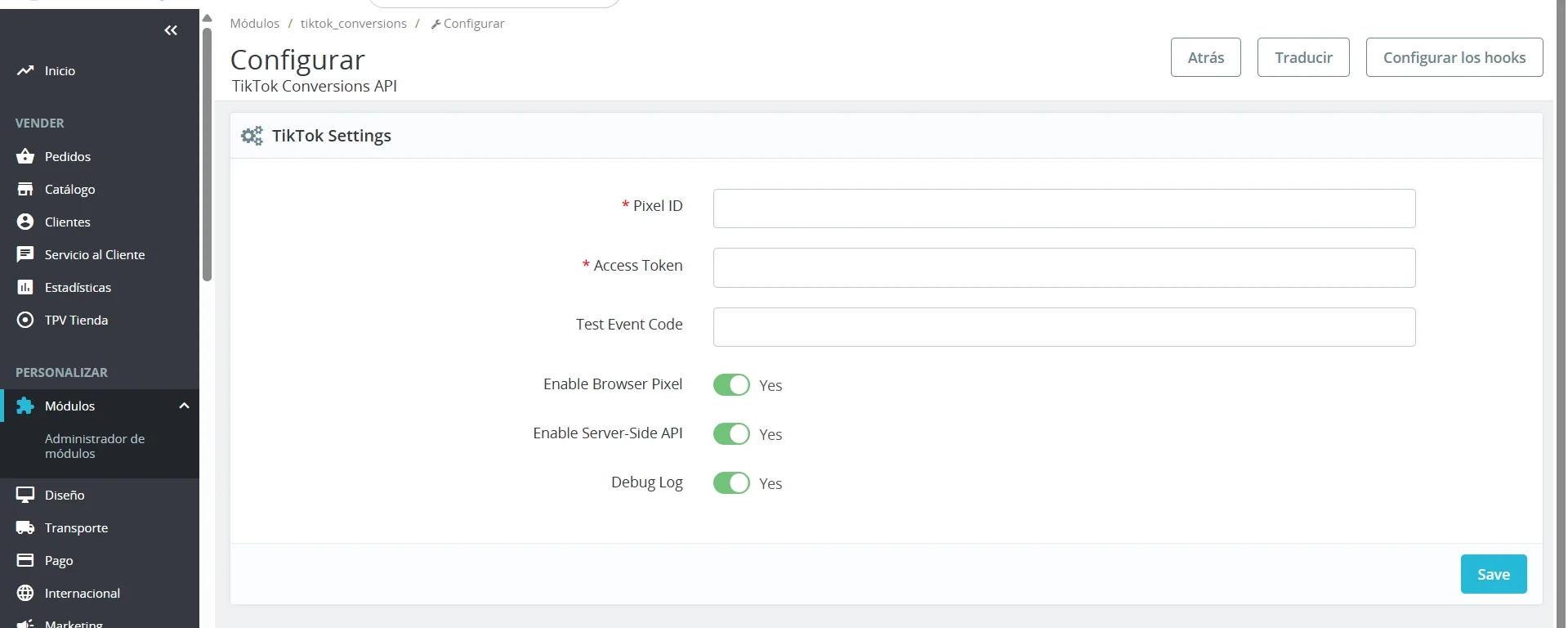
Pixel Track TikTok is designed for PrestaShop 1.7 through 8.2 to maintain signal continuity across the shopping journey. It sends TikTok events through both the browser pixel and server-side Events API: PageView, ViewContent, AddToCart, InitiateCheckout, and Purchase.
For product and order events, the module supplies the commerce context TikTok needs, including content_id, content_name, value, currency, and event_id. Most importantly, the browser and Events API versions of the same event use a shared, consistent event_id. TikTok can therefore deduplicate the two reports instead of counting one customer action twice.
This combined approach gives TikTok a browser signal when the page loads normally and a server-side signal when checkout redirects, privacy controls, or payment confirmation timing make the browser less dependable. By aligning event parameters from product view through confirmed order, it reduces the data gap that multi-step checkout flows commonly introduce.
For ecommerce teams, the practical goal is simple: validate the full event sequence against real PrestaShop orders, then use a tracking setup that preserves both event detail and deduplication across every checkout transition.