

TikTok Events API (also called Events API or server-side tracking) can protect measurement when browser cookies, ad blockers, consent choices, or page-load failures reduce Pixel coverage. But server-side tracking is not automatically accurate. A flawed implementation can still send events to TikTok while quietly damaging attribution, optimization, and reporting.
For PrestaShop stores, the highest-risk failures usually occur where storefront actions, order data, browser Pixel events, and server-side Events API requests must agree. Here are five common Events API implementation mistakes and why they matter.
1. Sending browser and server events without a shared event_id
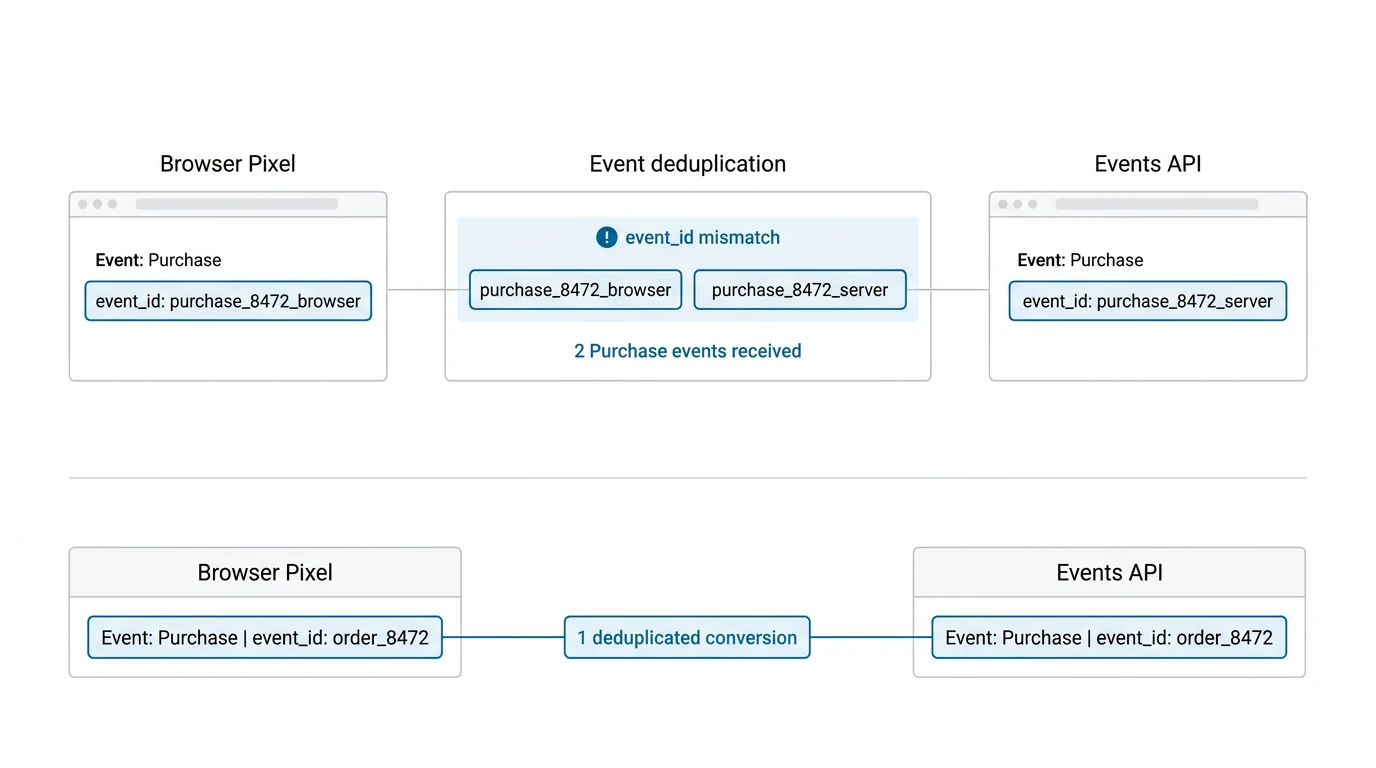
Many stores add the TikTok browser Pixel first and later add Events API as a separate integration. Both sources then report PageView, ViewContent, AddToCart, InitiateCheckout, and Purchase—but TikTok cannot reliably recognize that each pair represents one customer action.
The result is double counting. One completed order may appear as two Purchase events, inflating reported revenue and teaching campaigns to optimize against incorrect conversion volume.
Deduplication depends on sending the same event name and the same unique event_id from both the browser and server for the same action. Generating one ID in JavaScript and a different one on the server does not solve the problem. Likewise, reusing a static ID across many events can cause legitimate conversions to be discarded.
2. Omitting or corrupting commerce parameters
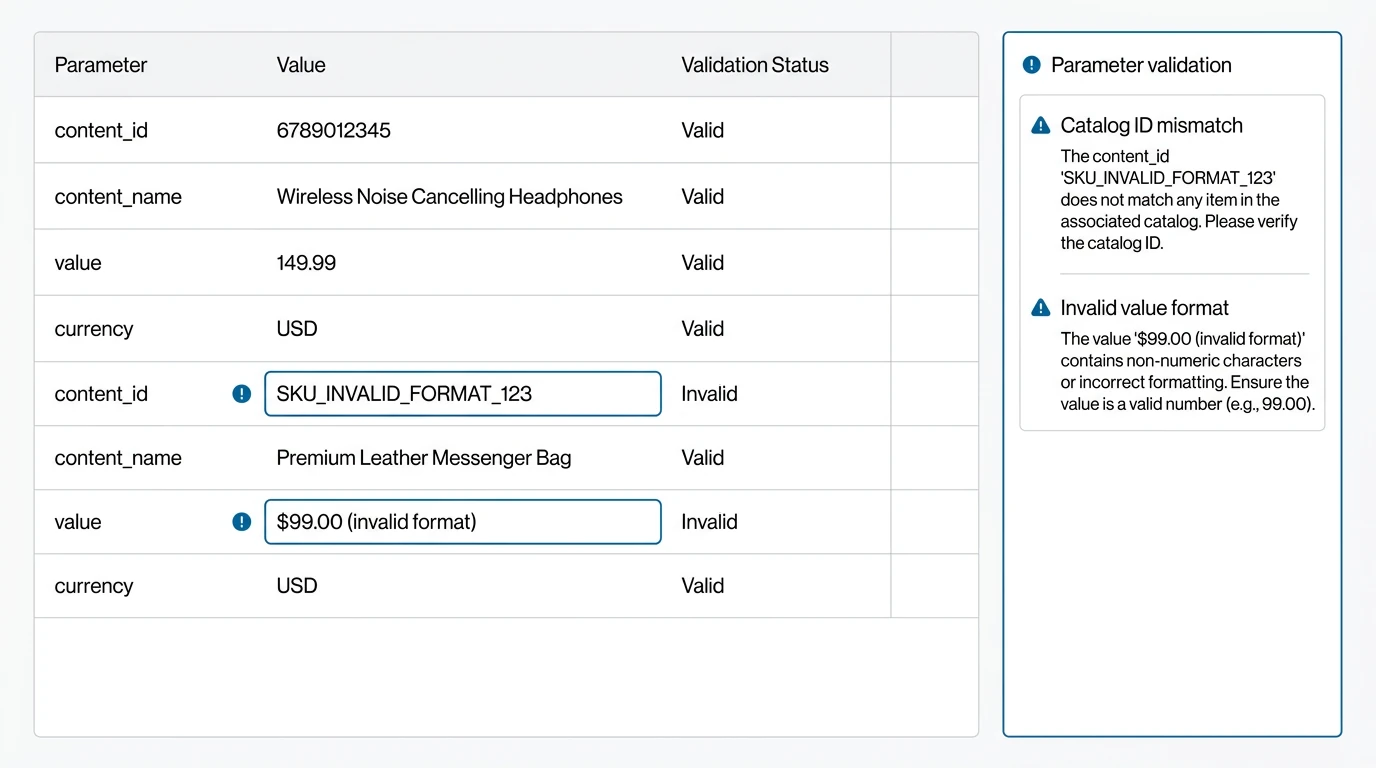
An event may be accepted by TikTok even when its payload is incomplete. That does not mean it is useful for ecommerce optimization. Product and order events should carry consistent parameters such as content_id, content_name, value, and currency.
Common mistakes include sending a product title where TikTok expects the catalog-matched product ID, formatting value as a text string with a currency symbol, using the wrong currency code, or reporting shipping-inclusive and shipping-exclusive totals inconsistently. A Purchase event with an incorrect value can make return-on-ad-spend reporting unreliable. A ViewContent or AddToCart event with mismatched product IDs can reduce the usefulness of product-level reporting and catalog-based advertising.
Use the same product identifier strategy across your PrestaShop catalog, TikTok catalog feed, browser events, and Events API events. For purchases, validate that the value and currency match the order totals your business intends to report.
3. Firing events from the wrong PrestaShop lifecycle point
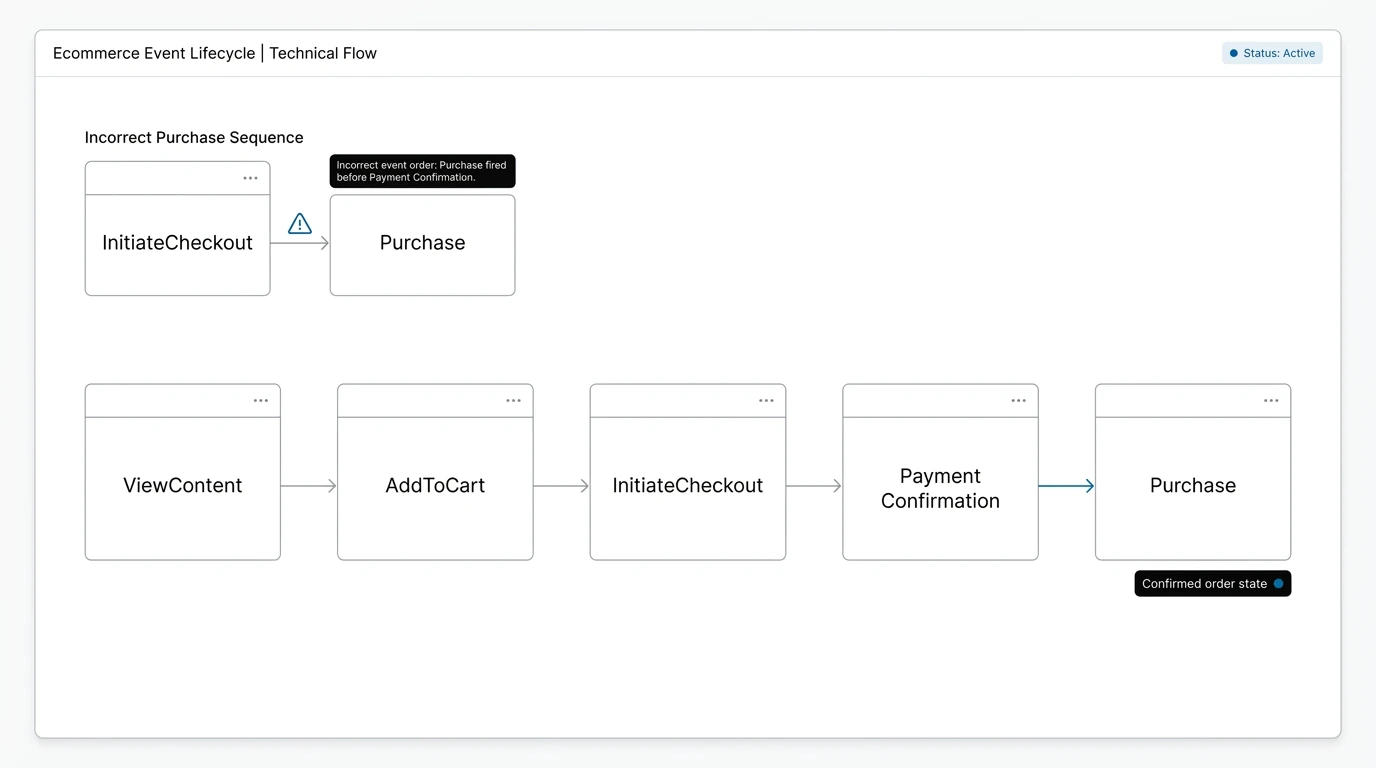
Tracking accuracy depends on when an event is emitted. This is especially important in PrestaShop because carts, checkout pages, payment redirects, and order statuses are separate parts of the customer journey.
For example, an AddToCart event may fire when a product page merely loads rather than when the shopper actually updates the cart. An InitiateCheckout event may fire repeatedly on every checkout-page refresh. The most costly error is firing Purchase before payment confirmation or from a thank-you page that can be refreshed, bookmarked, or revisited.
A reliable Purchase event should be tied to a confirmed order state and a stable order reference, not just a front-end page view. The implementation also needs protection against duplicate server requests when order confirmation hooks run more than once or payment modules retry notifications.
4. Treating Events API as a replacement for the browser Pixel
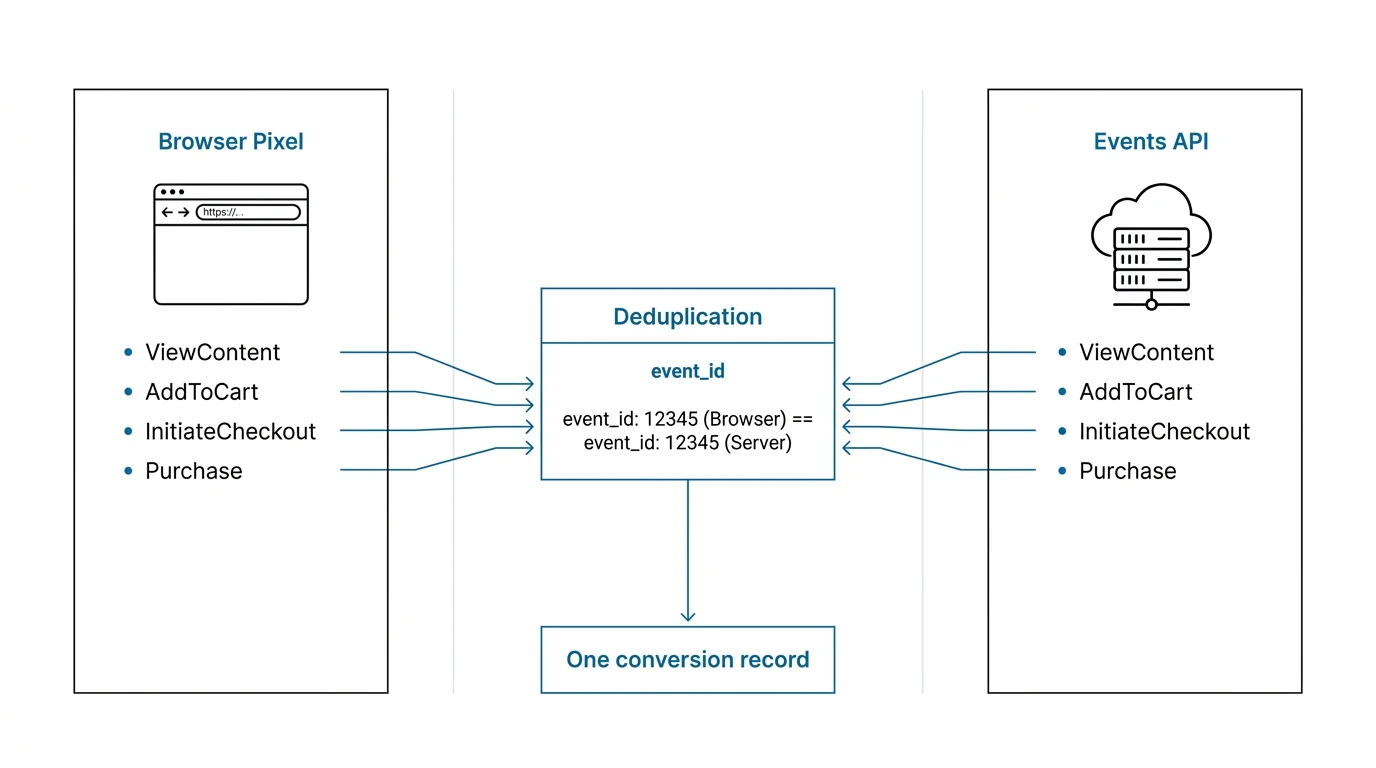
Server-side Events API improves resilience, but it should complement—not blindly replace—the browser Pixel. The browser layer captures on-site activity close to the interaction and can provide useful context for matching and event validation. The server layer provides a more dependable record of key commerce actions, particularly completed orders.
A server-only setup can lose visibility into page-level engagement or send fewer matching signals. Conversely, a browser-only setup may miss conversions when browser-side scripts fail to load. The practical model is a coordinated hybrid implementation: send the relevant events through both channels and deduplicate them with one consistent event_id.
This approach gives TikTok one conversion record per real action while reducing dependence on any single tracking environment.
5. Skipping event validation after launches and store changes
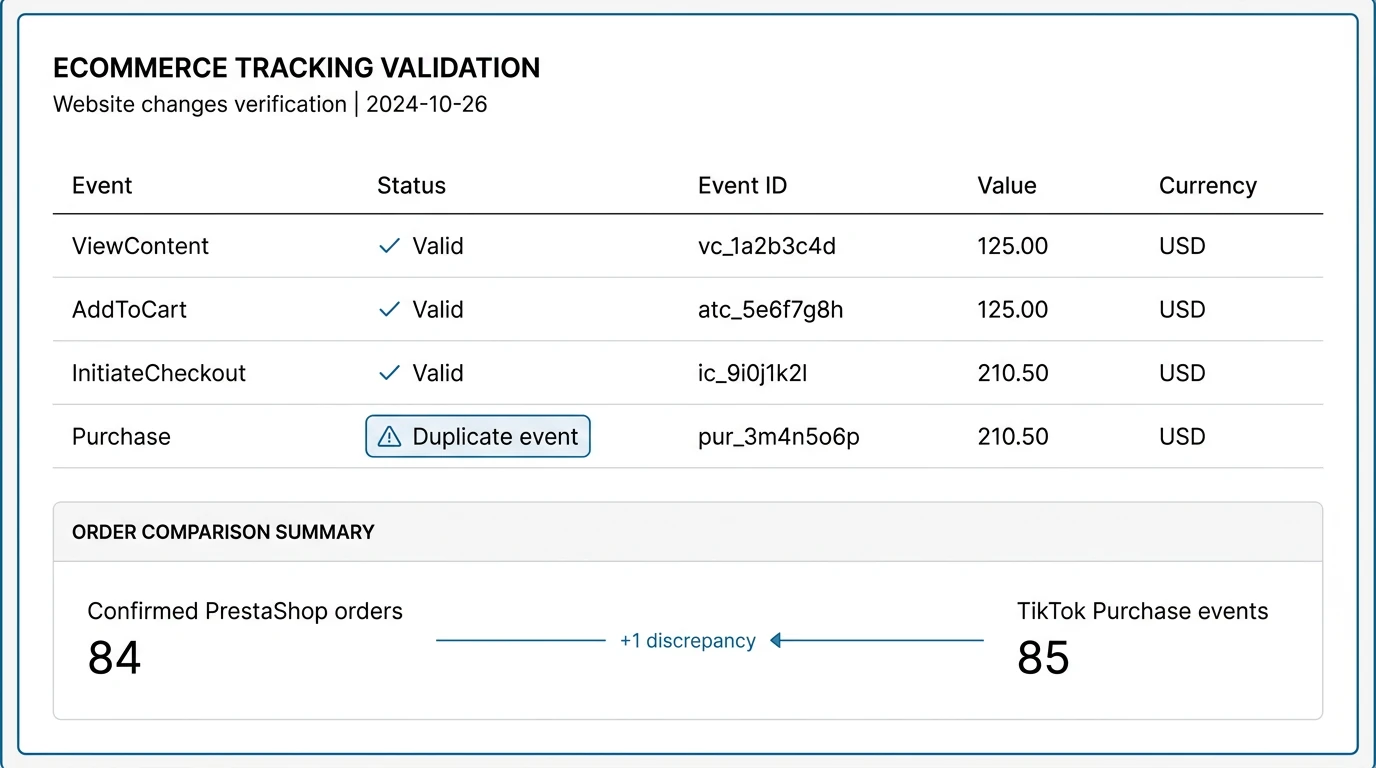
Tracking often breaks after an apparently unrelated change: a theme update, one-page checkout replacement, cookie-consent configuration, payment module update, currency change, or custom cart behavior. Because ads still spend and some events may still arrive, the problem can remain unnoticed for weeks.
Do not validate only that “events are firing.” Check event names, timestamps, values, currency, product IDs, and duplicate rates. Compare TikTok Purchase counts and revenue against confirmed PrestaShop orders over a defined period. Small differences can occur because of attribution windows and consent, but sudden or persistent gaps require investigation.
How to diagnose it
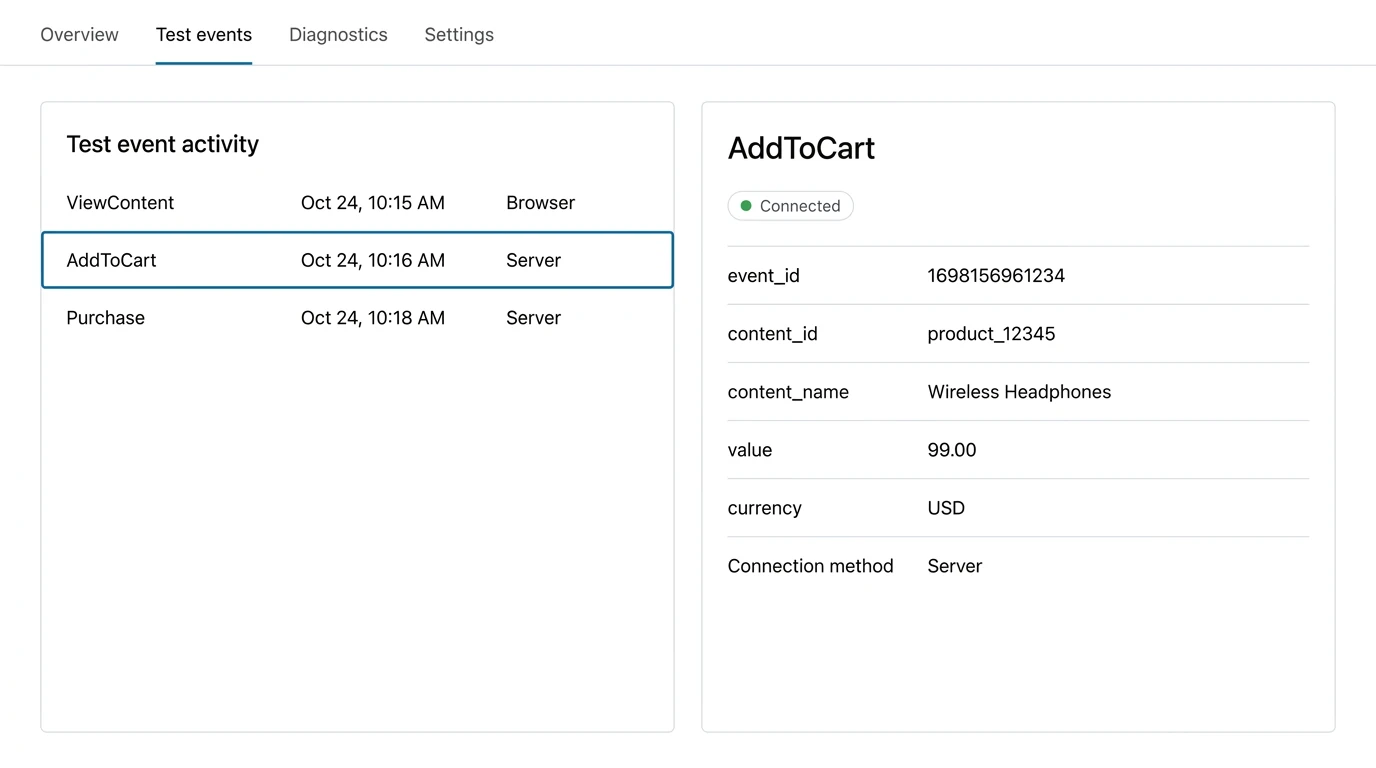
Start in TikTok Events Manager and review recent event activity, diagnostics, parameter coverage, and deduplication signals. Then complete a controlled test journey: visit a product, add it to cart, start checkout, and place a test order. Record the event sequence and compare browser requests with server-side events.
For each action, confirm that the event name is correct, event_id is identical across browser and server requests, and content_id, content_name, value, and currency match the PrestaShop product or order. Finally, compare confirmed orders with reported Purchase events before making bidding decisions.
How Pixel Track TikTok solves it
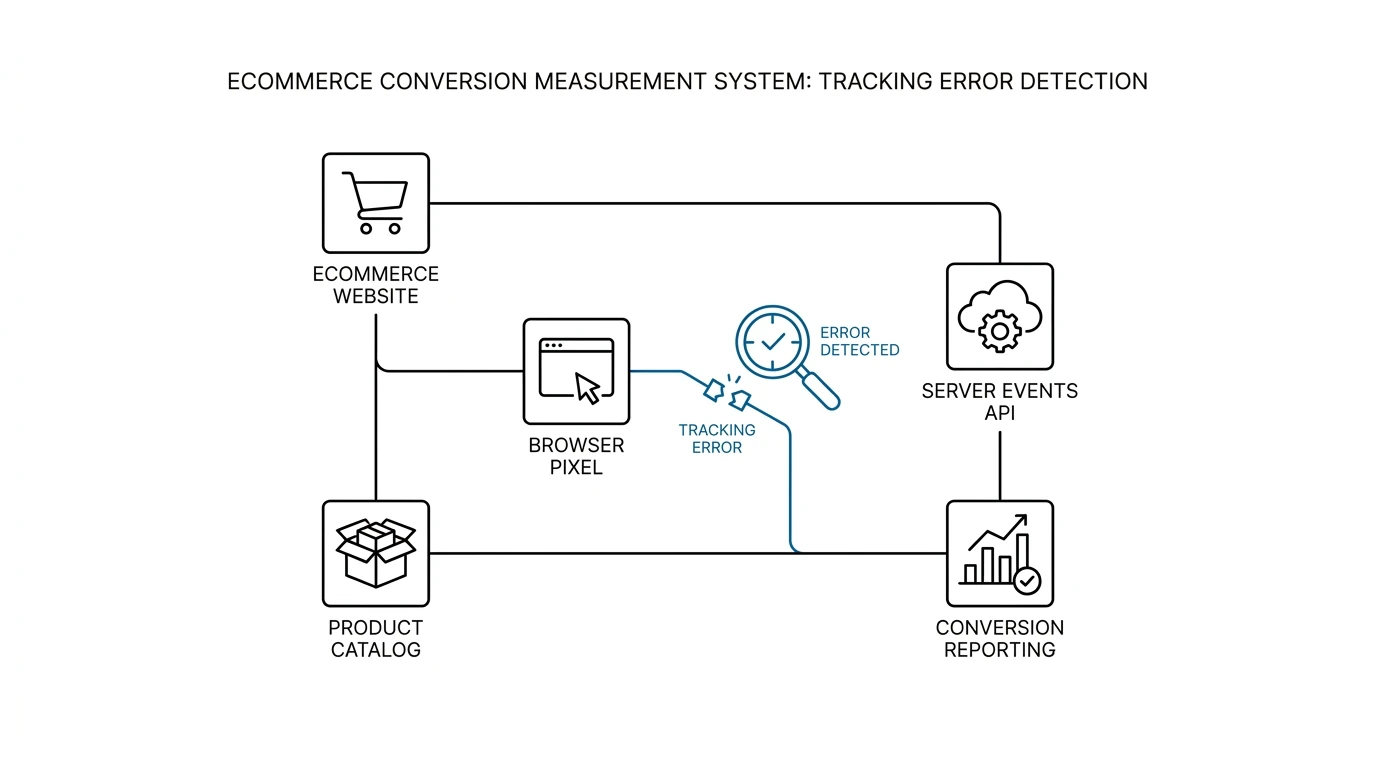
Pixel Track TikTok is designed for PrestaShop 1.7 through 8.2 stores that need coordinated TikTok browser Pixel and server-side Events API tracking. It sends PageView, ViewContent, AddToCart, InitiateCheckout, and Purchase events with ecommerce parameters including content_id, content_name, value, currency, and event_id.
Crucially, the module uses a shared, consistent event_id for corresponding browser and server events, enabling TikTok deduplication rather than creating two conversion records. By connecting event generation to PrestaShop product, cart, checkout, and order data, it helps keep timing and parameters aligned with actual store activity. That gives PPC teams cleaner conversion signals for attribution, reporting, and campaign optimization.